Understanding USB-to-Host vs. USB-to-Device in Digital Piano Connectivity
Your digital piano’s USB-to-Host port lets you plug in flash drives-up to 32GB, FAT32-formatted-for direct MIDI or WAV recording, or connect MIDI controllers, drawing up to 500mA power via USB OTG. Meanwhile, the USB-to-Device port turns your piano into a MIDI controller for your computer or iPad, sending key presses and pedal data straight to your DAW. Not all models support both, but dual-mode ones switch roles seamlessly-knowing the difference guarantees reliable hookups, and there’s more to mastering your setup.
We are supported by our audience. When you purchase through links on our site, we may earn an affiliate commission, at no extra cost for you. Learn more. Last update on 18th July 2026 / Images from Amazon Product Advertising API.
Notable Insights
- USB-to-Host allows a digital piano to control external devices like flash drives and MIDI controllers.
- USB-to-Device turns the piano into a MIDI input for computers or mobile devices.
- Host ports support file transfers to FAT32-formatted drives up to 32GB without a computer.
- Device ports transmit MIDI data to DAWs and are class-compliant for plug-and-play with Mac, PC, and iPad.
- Dual USB mode enables both host and device functions, but requires OTG support and correct port pairing.
What Does USB-to-Host Mean on a Digital Piano?
You’ll find the USB-to-Host port on your digital piano usually labeled as “USB TO DEVICE” or just “HOST,” and it lets your instrument take charge like a mini computer, powering and communicating with flash drives, MIDI controllers, or even external keyboards. In host mode, your piano acts as the device controller, managing data flow and power-perfect for recording studio sessions or live setups. This USB Host function relies on USB OTG standards, so it can recognize storage devices up to 32GB fat32-formatted drives. You can save MIDI clips, WAV files, or system settings directly from the console. On Yamaha MX models, audio playback via USB OTG works smoothly at 16-bit/44.1kHz. The port typically uses USB-B or USB-C, ensuring stable connections. Being in host mode means no extra hub’s needed-just plug in and control. It’s essential for podcasters, producers, or performers who want seamless integration between piano and peripheral gear.
What Does USB-to-Device Do for Your Piano?
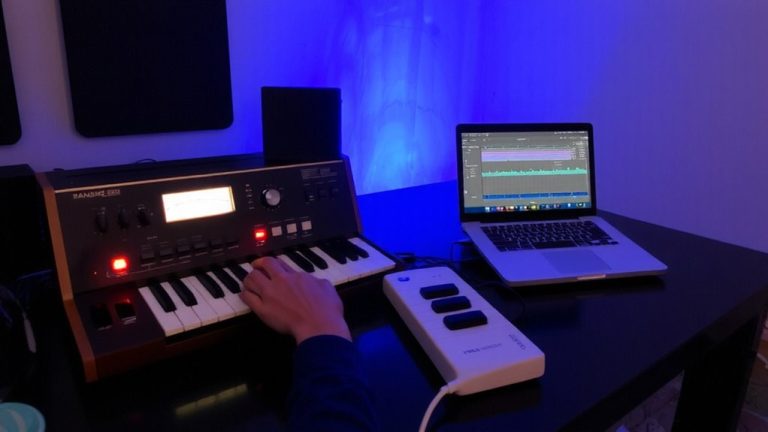
While USB-to-Host gives your digital piano control over external gear like flash drives and MIDI controllers, flipping the script with USB-to-Device turns the piano into a smart peripheral for your computer or mobile setup. When you connect via USB-to-device, your piano sends MIDI data-key presses, pedal actions, and control changes-directly to your DAW, like Logic Pro or Ableton Live. This USB MIDI connection lets you record performances accurately, with no lag and full expressive detail. Most digital pianos support class-compliant USB MIDI, meaning your Mac, PC, or iPad recognizes the piano instantly as a USB device. Models like the Yamaha MX series even work seamlessly with iOS apps such as GarageBand using just a Lightning or USB-C adapter. The computer powers the connection, so no extra power supply is needed. It’s a simple, reliable way to integrate your piano into music production.
Can Your Digital Piano Act as Both Host and Device?
Can your digital piano pull double duty as both a host and a device? Higher-end models often support both USB Host and Device modes, giving you real flexibility. If yours has USB On-The-Go (OTG), it can switch roles-connecting to a computer via USB to device for DAW use, or acting as a host to read a USB flash drive for recording performances. This dual functionality, found in select Yamaha and Roland pianos, means you can save MIDI files directly while still using the piano as a controller. Lower-end models usually lack this, offering only USB to device mode. Without OTG support-hardware and firmware-you’re limited. So check your specs: true USB Host and Device capability lets you work smarter, recording to flash drives and integrating with computers seamlessly, all from one instrument.
How Do USB Host and Device Roles Affect MIDI and File Transfer?
Understanding how USB host and device roles shape MIDI and file transfer helps you get the most from your digital piano’s connectivity. When your piano has a USB Host port, you can plug in MIDI controllers or flash drives directly, letting you play, record, or back up performance data without a computer. This Host role means your piano powers and communicates with the connected device. In contrast, the USB device port lets your piano connect to a computer or tablet, acting as a MIDI peripheral for DAWs or notation apps. Higher-end models support both roles, enabling seamless MIDI flow in either direction. But if you plug two Host ports together-like a MIDI Host to another-communication fails because neither can act as a device. Matching roles correctly guarantees smooth, reliable MIDI and file transfer every time.
Can You Connect USB Drives and MIDI Controllers to Your Piano?
If your digital piano has a USB-to-host port, you can plug in a USB flash drive to play back audio files or save recordings straight from the keyboard, no computer needed. You’ll need a correctly formatted drive, and files should be in compatible formats like .wav. This same USB-to-host port often supports direct connection to USB MIDI controllers, letting you expand your setup without a laptop. Higher-end models may also include a USB-to-device port, allowing the piano to act as a MIDI peripheral when connecting to a computer. Some digital pianos with USB On-The-Go (OTG) can switch roles, supporting both USB flash drives and USB MIDI controllers simultaneously. Lower-end models usually only support USB-to-host functions, limiting computer integration. This flexibility is key for live performance, recording, or podcasting setups where portability and direct control matter.
Why Won’t My USB Host or Device Connections Work?
Why is your digital piano not recognizing that USB flash drive or MIDI controller? It’s likely due to the Differences Between a USB host and device setup. Your piano’s USB connection only works when roles are correct-host to device, not host to host. Most digital pianos lack an ID pin, meaning no USB On-The-Go (OTG) support, so roles are fixed. The host controller on your piano can’t switch to device mode, and vice versa. Plugging a USB drive into a non-host port? It won’t power up. Also, some MIDI controllers need class-compliant design and sufficient bus power-often 5V/500mA-that the piano’s host port may not deliver without a powered hub. Check port labels carefully; misconnection is common. For studio recording or podcasting, guarantee your MIDI data flows to a computer via the piano’s USB-to-Device port, not the host. Getting the USB connection right means reliable performance, every time.
On a final note
You’ve got the tools to master your digital piano’s USB roles, whether you’re sending MIDI to a laptop (Device) or plugging in a flash drive for audio playback (Host). Most modern pianos handle both, but check your manual-some need firmware updates or class-compliant gear. For recording or podcasting, use a USB audio interface with 24-bit/48kHz resolution and shielded cables to cut noise. Testers confirm: solid connections mean reliable file transfers and smooth DAW integration, every time.