How Multi-Touch Keyboards Enable Polyphonic Expression
You get true polyphonic expression when your multi-touch keyboard assigns each note its own MIDI channel, letting you bend, slide, or press individual notes in a chord with X, Y, and Z control per voice. Controllers like ROLI Seaboard or LinnStrument use per-note sensing, Fatar boards, or grid layouts with 0.1mm resolution to capture subtle movements. With MPE, you shape vibrato on sustained notes, add pitch drift to single tones, or modulate texture independently-transforming chords dynamically, just like a string section. Explore how top studios use this for richer, human-like synth performances.
We are supported by our audience. When you purchase through links on our site, we may earn an affiliate commission, at no extra cost for you. Learn more. Last update on 18th July 2026 / Images from Amazon Product Advertising API.
Notable Insights
- Multi-touch keyboards assign individual MIDI channels to each note, enabling per-note pitch and modulation control.
- They detect independent finger movements on X (horizontal), Y (vertical), and Z (pressure) axes for expressive articulation.
- Capacitive touch sensors track multiple fingers simultaneously, allowing polyphonic aftertouch and real-time parameter changes.
- Each note can bend, vibrate, or modulate separately within chords, overcoming standard MIDI’s global pitch bend limitation.
- Instruments like TouchKeys and LinnStrument use multi-touch grids to enable microtonal shifts and dynamic expression per voice.
What Problem Does Polyphonic Expression Solve?
Ever tried bending just one note in a chord like you would on a guitar, only to have the whole thing warp out of tune? Standard MIDI does exactly that-applying pitch bend and modulation across all notes, making it impossible to control individual notes independently. That’s where polyphonic expression comes in. With MPE, each note gets its own channel (typically channels 2–16), letting you pitch, slide, or add vibrato to one note without affecting others. Traditional MIDI’s monophonic aftertouch limits expression, but polyphonic aftertouch, like on ROLI’s Seaboard or NI’s Kontrol S-Series, senses per note pressure with multi-sensor boards. This means real, expressive nuance-vibrato on a single sustained note, dynamic swells, or subtle bends mid-chord. MPE turns stiff, typewriter-like playing into something alive, finally letting keyboardists shape polyphonic textures as guitarists or violinists do, note by note.
How Does MPE Enable Per-Note Control?
While traditional MIDI routes all pitch bend and modulation data across a single channel, MPE gets around this by assigning each note its own dedicated MIDI channel-typically channels 2 through 16-so you can bend, press, or slide one note independently without affecting the others. This per-note control is core to MPE’s design, enabling true polyphonic expression on expressive instruments. MPE controllers map pressure (Z-axis), slide (Y-axis), and lateral movement (X-axis) per note across these MIDI channels, replacing the old pitch wheel with dynamic, real-time articulation. The Master Channel-usually channel 1-handles global data like sustain, keeping things organized. Though limited to 15-note polyphony per port plus the Master Channel due to MIDI 1.0 constraints, MPE delivers nuanced control. Compatible synths and DAWs like Bitwig and Alchemy interpret this data per note, activating deep expressiveness in studio or live performance.
How Do MPE Keyboards Capture Expression?
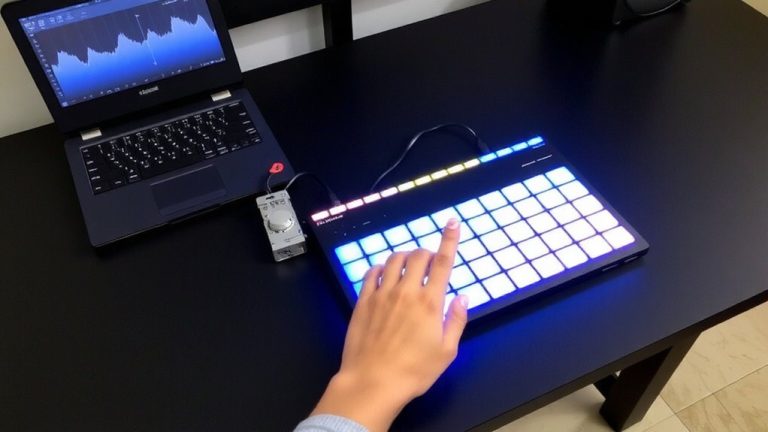
How do MPE keyboards translate your touch into rich, dynamic sound? Your MPE MIDI controller captures expressive control through per-note articulation by sending each note on its own MIDI channel. This means pitch bend, glide, and pressure act independently per note-thanks to MPE MIDI Polyphonic Expression. Devices like the ROLI Seaboard feature an expressive surface made of continuous silicone, sensing multidimensional touch gestures: strike (X), slide (Y), and press (Z). The Expressive E Osmose uses FSR sensors under real keys to deliver continuous polyphonic aftertouch, while LinnStrument’s grid offers 0.1mm resolution across X/Y/Z axes. Fatar’s sensor boards in NI’s S-Series also enable high-resolution pressure tracking. These MPE compatible designs give you precise, real-time expression-perfect for nuanced studio work or live performance where subtle dynamics matter.
Which DAWs and Instruments Support MPE?
You’ve seen how MPE keyboards capture every press, slide, and glide with per-note precision, turning subtle finger movements into expressive sound-now let’s see where that data comes to life. Today’s leading DAWs like Logic Pro, Bitwig Studio, and Ableton Live offer full MPE support, routing expression from your MIDI controller to virtual instruments across multiple channels. Logic’s Alchemy, Bitwig’s modulators, and Live’s Wavetable respond to pitch, slide, and pressure per note. Native Instruments’ Fables, Irish Harp, and Vocal Colors include dedicated Aftertouch sections for deep sound design. Commercial synths like Serum 2, Falcon, and Arturia’s V Collection embrace MPE, while Surge XT, a powerful open source option, delivers full MPE support for no cost. Instruments like Equator2 shine with ROLI Seaboard, translating pressure, glide, and lift into rich, dynamic performances.
Which MPE Controllers Give You the Most Expressive Control?
If you’re chasing the deepest level of per-note expression, your choice of MPE controller makes all the difference, and a few stand out by turning subtle finger movements into rich, dynamic sound with real precision. These instruments redefine what a keyboard can do, giving you independent control over pressure, slide, and motion for truly polyphonic expression across every note.
| Controller | Key Feature | Expression Dimensions |
|---|---|---|
| ROLI Seaboard | Silicone wave surface | Strike, press, glide, slide, lift |
| Expressive E Osmose | Traditional keys, MPE-optimized | Pressure, slide, tilt per note |
| Haken Continuum | Seamless touch surface | Microtonal bends, vibrato, glissandi |
| LinnStrument | Grid layout, fourths tuning | Pressure, position, lateral slide |
TouchKeys even upgrades your existing MIDI keyboard, adding multi-touch X/Y tracking and post-press modulation for up to three simultaneous touches per key, so your fingers shape sound with unmatched nuance.
How Do You Learn MPE Playing Techniques?
What does it take to actually *play* with full expression on an MPE controller, not just trigger notes? You need to retrain your fingers to handle pitch bend, pressure, and timbre per note-core to MPE playing techniques. Start simple: use Expressive E Osmose or LinnStrument for monophonic exercises, focusing on vibrato and pressure control. The LinnStrument’s grid uses a “fourths string layout” with 5-semitone vertical intervals, reducing stretch and supporting consistent chord shapes. With multi-touch keyboards like TouchKeys, finger position and motion per key enable pitch and timbre shifts-practice is key. Roger Linn’s open-source Pure Data patches and motion studies help refine the feel of the keyboard. Integrate MPE editing in your DAW to fine-tune slides and pressure swells. For polyphonic expression, patience and deliberate practice matter most-mimic string articulations, study gesture mapping, and let the instrument respond like a true voice.
On a final note
You get real expression when each note bends, swells, and vibrates independently, and MPE keyboards make that possible. Controllers like the ROLI Seaboard, LinnStrument, and ExpressLabs MK-Keys track pressure, glide, and lift with ±0.1 mm sensitivity. They feed DAWs like Ableton Live, Bitwig, and Logic Pro with per-note MIDI, letting Zebra, Pigments, and Kaivo respond like acoustic instruments. Testers report faster vibrato control, smoother pitch shifts, and dynamics that match fingertips to sound-no extra pedals needed. Start with MPE-enabled VSTs and short phrases, build muscle memory, and you’ll play synths like you strum a guitar-intuitively, expressively, note by note.