How MIDI Implementation Affects Integration With Computers and Apps
You plug your MIDI keyboard into your computer via USB or connect wirelessly with Bluetooth LE, and it instantly talks to your DAW with sub-5ms latency, sending note, velocity, and CC data on channels 1–16, letting you control virtual instruments, trigger clips in Ableton, or advance slides in EasyWorship using Note On messages, with MIDI 2.0 now offering 16-bit resolution and automatic device pairing through MIDI-CI for smoother, more expressive setups across devices and platforms.
We are supported by our audience. When you purchase through links on our site, we may earn an affiliate commission, at no extra cost for you. Learn more. Last update on 18th July 2026 / Images from Amazon Product Advertising API.
Notable Insights
- MIDI sends performance data, not audio, enabling precise control of virtual instruments in DAWs and apps.
- USB and wireless MIDI standards simplify computer connectivity and support two-way communication with devices.
- DAWs leverage MIDI’s editability to adjust pitch, timing, and dynamics after recording.
- MIDI 2.0’s higher resolution and MIDI-CI improve integration through automatic device recognition and configuration.
- Controller messages like CC, aftertouch, and pitch bend allow expressive real-time parameter control in software.
What Is MIDI and How Does It Work?
When you press a key on a MIDI-enabled keyboard or strum a MIDI guitar controller, you’re not sending sound-you’re sending data, and that’s where MIDI, or Musical Instrument Digital Interface, comes in, transmitting performance details like note pitch, velocity, and control changes between devices. This MIDI data travels via the MIDI protocol as MIDI messages-like Note On/Off or Control Change-across channels 1–16, allowing multiple instruments over one connection. Your MIDI controller sends 128 pitch values (C0–G#9) and 127 velocity levels, capturing subtle expression. In Digital Audio Workstations, that precision lets you tweak timing, dynamics, and articulation after recording. You can trigger virtual instruments with realistic playback, edit note lengths, or automate filter sweeps-ideal for studio recording, podcast intros, or live backing tracks. USB-MIDI connections simplify setup, but the 5-pin DIN standard still delivers reliable, low-latency performance. With MIDI, your gear talks clearly, efficiently, creatively.
How MIDI Connects Instruments to Computers
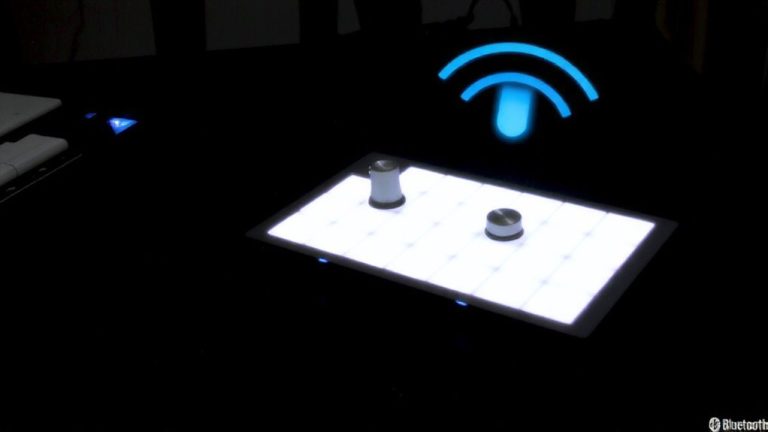
You’re already sending performance data the moment your fingers hit the keys or strum the strings of your MIDI-enabled instrument, and now it’s time to get that data into your computer, where the real shaping happens. Your MIDI device can connect to your computer via USB, the most common method since 1999, or through legacy 5-pin DIN cables with an interface. USB simplifies setup, offering plug-and-play reliability, while Bluetooth LE and network tools like rtpMIDI extend connectivity over Wi-Fi. MIDI enables two-way communication, so your DAW can send control messages back to your hardware. On macOS, CoreMIDI, and Windows MIDI services handle routing seamlessly. With MIDI 2.0, Universal MIDI Packets standardize high-resolution data across platforms, improving timing and expression. Whether you’re tracking guitar, bass, or synths, staying connected to your computer means tighter control, lower latency, and studio-grade precision-no matter your setup.
Using MIDI in DAWs and Music Apps
Though your MIDI controller never makes a sound on its own, it becomes a powerful creative tool the moment it feeds performance data into your DAW or music app. In DAWs like Ableton Live or FL Studio, MIDI lets you control virtual instruments with precision, transmitting note pitch, velocity, and CC data for realistic expression. You can drag and drop MIDI files (.mid) directly into the timeline, instantly pairing them with digital instruments. MIDI data is fully editable-tweak pitch, timing, velocity, or automation after recording. This flexibility is essential in modern music production. Most DAWs export MIDI too, letting you share sequences or trigger external electronic musical instruments. MIDI also syncs apps and audio devices, sending transport cues or Note On messages. Whether you’re scoring beats or arranging tracks, MIDI integration turns your computer into a central hub for digital creation, streamlining workflows across software and hardware.
How MIDI Enables Expression Beyond Notes
MIDI doesn’t stop at sending note data-once you’ve got your controller talking to your DAW, you access a full range of expressive control that shapes how those notes feel and evolve. With MIDI, you’re not limited to on/off triggers; you use continuous controller messages like CC1 (modulation) or CC64 (sustain) for real-time tweaks. Aftertouch lets you add vibrato by pressing harder on keys, while pitch bend wheels enable smooth, guitar-like bends. These CC messages give you nuanced, dynamic performance shaping. Though MIDI 1.0 offers 128 values per control, MIDI 2.0 boosts resolution dramatically, supporting finer adjustments. Per-note expression in MIDI 2.0 means individual notes in a chord can have unique pitch bend, timbre, or volume-ideal for expressive synths or realistic virtual instruments. You’ll shape tones with precision, automate parameters smoothly, and bring studio-grade expression into your recordings, live sets, or podcast scoring sessions.
What’s New in MIDI 2.0?
The biggest leap in MIDI since 1983 arrived with MIDI 2.0, launched in January 2020 at the Winter NAMM Show, and it’s a game-changer for how you control synths, virtual instruments, and studio gear. With full backward compatibility, you can mix legacy and new gear seamlessly. Universal MIDI Packets (UMPs) replace old messages using a 32-bit format, giving you higher resolution-like 16-bit controller data-for smoother, more precise expression. You’ll love per-note expression, letting you bend pitch or shape timbre on individual notes in chords, perfect for expressive guitar or synth lines. MIDI-CI (MIDI Capability Inquiry) lets devices automatically recognize and configure each other, saving setup time. Native Instruments’ Kontrol S-Series MK3 was among the first to support MIDI 2.0, delivering real-time control via richer data streams-ideal for studio or live podcasting work.
Configuring MIDI in EasyWorship and Prime
When you’re setting up a live presentation or worship session, getting your MIDI controls dialed in right with EasyWorship and Prime can make shifts smoother and your workflow faster. In EasyWorship, click the Remote button, hover over MIDI, then add a new control to start configuring MIDI-assign your input device to the local PC and set the channel to “Any” or stick with Channel 1 for precision. You can train Input Cues to respond to hardware instruments together, like using Note E-1, Velocity 4 to trigger Go to Slide 4. In Prime, edit MIDI cues directly, mapping actions like Next Slide to Note A-2, Velocity 1 on Channel 1. Connect Prime to your PC by selecting the device name in settings-just make certain rtpMIDI and Bonjour are installed. Properly configured, your MIDI devices give reliable, real-time control across both platforms.
On a final note
You’ll plug in confidently, knowing MIDI streamlines your workflow, from guitar and bass to amps and audio processing. With precise timing at 31.25 kbps, MIDI syncs flawlessly in DAWs, EasyWorship, and Prime, letting you trigger loops, adjust patches, and control effects. Testers report smoother shifts, faster set changes, and tighter studio takes. MIDI 2.0 boosts resolution and bidirectional communication, giving you more expression and control. For podcasters and musicians, it’s reliable, scalable, and built to integrate.