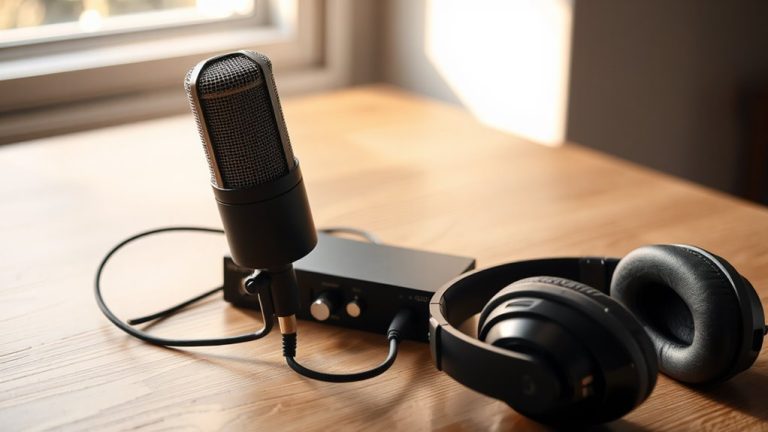
Best Audio Mixers Beginners Actually Want to Use
You’ll love mixers like the FIFINE SC3 or Maono Podcast Bundle-they’re lightweight, under 1.8 pounds, with intuitive faders, one-touch effects, and zero-latency monitoring. Plug in mics via XLR, connect your phone through 3.5mm jacks, or go wireless with Bluetooth. Built-in reverb, voice changers, and DSP noise reduction polish your sound instantly. With USB plug-and-play, 48V phantom power, and real-time mute buttons, you’re ready to stream, record, or podcast right away-discover how each model matches your workflow.
We are supported by our audience. When you purchase through links on our site, we may earn an affiliate commission, at no extra cost for you. Learn more. Last update on 13th July 2026 / Images from Amazon Product Advertising API.
Notable Insights
- Lightweight, compact mixers with intuitive controls and plug-and-play USB offer hassle-free setup for beginners.
- Clear labeling, dedicated mute buttons, and zero-latency monitoring simplify live adjustments and recording.
- Multiple input options like XLR, 1/4-inch, and 3.5mm jacks support mics, instruments, and mobile devices.
- Built-in effects such as reverb, voice changers, and auto-tune enhance audio creatively without extra software.
- Battery-powered models with USB or Bluetooth connectivity provide portability and flexibility for mobile or outdoor use.
FIFINE Gaming Audio Mixer with RGB (SC3)

If you’re just starting out in streaming, podcasting, or voice-heavy gaming, the FIFINE Gaming Audio Mixer with RGB (SC3) is a compact, no-fuss control hub that puts professional-grade audio tools right on your desk. I use its XLR input with 48V phantom power for my condenser mic, blend game audio through the 3.5mm LINE IN, and monitor everything in real time without latency. The four independent faders give me precise control over microphone, line, headphone, and output levels, while the mute and monitor buttons keep recordings clean. I love the voice-changing modes and auto-tune presets-they’re fun, not gimmicky. At just 1.1 pounds and with plug-and-play USB-C, it’s reliable, intuitive, and ready for anything.
Best For: Streamers, podcasters, and gamers seeking an intuitive, compact audio mixer with professional features and customizable effects.
Pros:
- Offers 48V phantom power for condenser microphones and multiple input/output options for versatile audio routing
- Features real-time hardware controls, including four faders and mute/monitor buttons, enabling seamless audio management without software
- Includes fun yet functional voice changers, auto-tune presets, and RGB lighting to enhance streaming personality and engagement
Cons:
- Does not include XLR or USB cables, requiring additional purchases for full setup
- Limited to 3.5mm auxiliary input, which may restrict connectivity with certain professional audio gear
- RGB lighting, while visually appealing, is basic and not fully customizable via software
Podcast Microphone Bundle with Audio Mixer (P15)

This podcast microphone bundle with audio mixer (P15) is the best choice for beginners who want an all-in-one solution that handles recording, mixing, and streaming without complexity. I use the 3.5mm condenser mic and G10 Sound Board daily, and it delivers clear, professional audio with built-in noise reduction. It connects to my phone, PC, or Mac via 3.5mm, Type-C, or Bluetooth, and the 5V battery powers hours of runtime. I love the 5 reverb modes, voice changer-great for streaming-and Follow Singing mode, which lets me sing over instrumentals while my audience hears a clean mix. At 10.9 x 2.28 x 7.67 inches, it’s portable, rugged, and ranked #1 for a reason.
Best For: Content creators, podcasters, and live streamers seeking an all-in-one, portable audio solution with built-in effects and easy connectivity across devices.
Pros:
- All-inclusive bundle with microphone, mixer, boom arm, and disk bracket for immediate setup and use
- Built-in noise reduction, voice changer, and 5 reverb modes enhance audio quality and creativity
- Multi-device compatibility with USB, Bluetooth, 3.5mm, and Type-C support for versatile recording and streaming
Cons:
- Limited to 5V battery power, which may restrict extended high-demand usage without recharging
- No mention of XLR output for connecting to professional audio interfaces or recording gear
- Compact design may feel cramped for users with larger hands or those needing more physical controls
Facmogu F998 Live Sound Card Audio Mixer

I’ve found the Facmogu F998 Live Sound Card Audio Mixer shines for beginners diving into podcasting, live streaming, or mobile recording setups who need a compact, all-in-one solution without a cluttered signal chain. It’s got 7 volume knobs, 2 faders for bass, treble, and monitor mix, plus real-time DSP noise reduction and a built-in 1200 mAh battery, so I can stream or record anywhere. The USB interface works seamlessly with my PC, phone, or tablet-no drivers needed. I love the 16 customizable sound effects and Bluetooth for backing tracks. At 4.65 inches wide, it fits in my bag, powers condenser mics, and handles dual mics, guitar, or PS5 audio cleanly.
Best For: Beginners and mobile content creators seeking a compact, all-in-one audio mixer for podcasting, live streaming, and recording with easy plug-and-play functionality across multiple devices.
Pros:
- Compact, portable design with built-in battery and USB connectivity for hassle-free use across PC, iOS, and Android devices
- Integrated DSP noise reduction, 16 customizable sound effects, and Bluetooth support for wireless accompaniment
- Supports dual microphones, guitar input, and gaming consoles with clear audio separation and real-time monitoring
Cons:
- Limited to single-channel mixing, which may restrict advanced audio production needs
- Small physical controls (knobs and faders) can be cramped and less precise for detailed adjustments
- Average customer rating of 4.1 stars suggests some users experience reliability or quality inconsistencies
Numark Party Mix II DJ Controller

You’ll get the most out of the Numark Party Mix II DJ Controller if you’re just starting out and want a compact, all-in-one setup that works right away with your existing music subscriptions, since it pairs seamlessly with Serato DJ Lite and supports streaming from Spotify, Apple Music, TIDAL, and SoundCloud without extra fees. I use it with my laptop via plug-and-play USB, and it powers both audio and control. At just 1.76 pounds and 7.83 inches wide, it’s light and portable. The two touch-sensitive jog wheels, 4 performance pads per deck, 2-band EQs, and smooth crossfader give me precise control, while the built-in RGB lights sync to the beat, enhancing small gigs or practice sessions.
Best For: Beginners looking for an affordable, compact, and easy-to-use DJ controller with seamless streaming integration and built-in lighting for practice or small performances.
Pros:
- Plug-and-play USB connectivity with Serato DJ Lite and support for streaming from Spotify, Apple Music, TIDAL, and SoundCloud using existing subscriptions
- Compact, lightweight design (1.76 pounds) with built-in audio interface and RGB lighting that syncs to the beat for enhanced visual appeal
- Intuitive layout with touch-sensitive jog wheels, 4 performance pads per deck, 2-band EQs, and smooth crossfader for essential DJ control
Cons:
- Plastic construction may feel less durable compared to more premium controllers
- Limited to 2 decks and basic 2-band EQ, lacking advanced features for more experienced DJs
- Built-in lighting, while fun, is basic and may not suit professional performance environments
Hercules DJControl Inpulse 200 MK2

A dedicated beginner’s gateway into DJing, the Hercules DJControl Inpulse 200 MK2 delivers hands-on learning with responsive controls and smart tools that make beatmatching intuitive, especially for aspiring DJs who want structured guidance without sacrificing creative freedom. I love the Beatmatch Guide-it uses LED lights by the jog wheels and faders to show tempo alignment in real time. With 8 performance pads offering Hot Cue, Stems, FX, and Sampler modes, I can separate vocals or instruments using STEMS, which deepens my mix control. It works plug-and-play over USB, runs Serato DJ Lite and DJUCED, and supports Beatport, SoundCloud GO+, and TIDAL. At 1290 grams, it’s lightweight, durable, and ships with tutorials to sharpen my skills fast.
Best For: Aspiring beginner DJs who want an intuitive, guided learning experience with access to creative tools and streaming service integration.
Pros:
- Features a Beatmatch Guide with LED lights for real-time tempo alignment, simplifying beatmatching for beginners
- Offers STEMS functionality and 8 performance pads with 4 modes (Hot Cue, Stems, FX, Sampler) for creative track manipulation
- Compatible with Serato DJ Lite, DJUCED, and major streaming platforms like Beatport, SoundCloud GO+, and TIDAL for flexible library access
Cons:
- Plastic construction may feel less durable compared to higher-end controllers
- Limited to 2-channel mixing, restricting advanced mixing capabilities
- No built-in audio interface for standalone use, requiring a laptop for operation
4-Channel DJ Audio Mixer with Bluetooth

When you’re just starting out in podcasting, live streaming, or DJing but still demand professional-grade sound, the 4-channel DJ audio mixer with Bluetooth from Kaschun stands out as a reliable first step. I use it for podcasts, small gigs, and Zoom meetings, and its 48V phantom power, XLR inputs, and 3-band EQ per channel keep my audio crisp. Bluetooth streaming, USB playback, and a built-in audio interface make connecting laptops, mics, and guitars easy. It’s compact-just 7.87 inches wide-and light at 1.35 pounds, so I toss it in my backpack. Noise stays low, testing at 62 dB, and the clean layout means I never fumble during live sets.
Best For: Aspiring podcasters, mobile DJs, and content creators seeking a portable, professional-grade audio mixer with versatile connectivity for live streaming, recordings, and small performances.
Pros:
- Offers 4 channels with 3-band EQ per channel and 48V phantom power for high-quality, customizable audio
- Supports Bluetooth, USB, and MP3 playback with wide device compatibility, ideal for modern workflows
- Compact, lightweight design makes it highly portable for on-the-go use in podcasts, gigs, and Zoom meetings
Cons:
- Limited to 4 channels, which may not suit larger, more complex setups
- Noise level of 62 dB, while low, may be noticeable in very quiet recording environments
- Brand is less established compared to major audio equipment manufacturers, potentially affecting long-term support
PUPGSIS Gaming Audio Mixer with Bluetooth

The PUPGSIS Gaming Audio Mixer with Bluetooth stands out as a go-to for newcomers dipping into streaming, podcasting, or live gaming, especially if you’re juggling multiple mics and want crisp, studio-grade audio without a steep learning curve. I love its four-channel layout-separate faders for Mic 1 (XLR), Mic 2 (XLR), headset mic (3.5mm), and Aux/Bluetooth keep levels tight. The 48V phantom power boosts XLR dynamics, and the frequency response hits 20 kHz for clean highs. I use the soundpads for quick effects and the voice changer during streams-it’s intuitive. Bluetooth streaming, USB connectivity, and XLR outs pair perfectly with OBS, Discord, or Zoom, and the 4.3-star rating from 291 users backs its reliability.
Best For: Gamers, streamers, and podcasters seeking an easy-to-use, versatile audio mixer with Bluetooth and multi-mic support for professional sound without complexity.
Pros:
- Four-channel mixing with individual faders and zero-latency monitoring for precise audio control
- Supports XLR mics with 48V phantom power, Bluetooth streaming, and USB connectivity for broad compatibility
- Built-in soundpads, voice changers, and reverb effects enhance creative audio production
Cons:
- Limited to three microphone inputs with shared channel for headset mic and Mic 2
- No mention of MIDI or advanced automation features for professional studio use
- Compact size may make handling faders and controls cumbersome for larger hands
Professional Podcast Bundle with DSP Sound Card

Want crystal-clear audio without the hassle of complex setups? I’ve tested the Professional Podcast Bundle with DSP Sound Card, and it delivers. Its dual-core DSP chip guarantees low-noise output, real-time processing, and scene modes for podcasting, streaming, or singing. I love the one-key dodge, noise reduction, and dual-mic support. It connects to phones, tablets, and PCs via Bluetooth, 3.5mm TRS, or TRS/XLR inputs. The 60 Hz frequency response keeps lows tight, while studio-grade EQ lets me tweak highs, mids, and lows. I use voice effects-robot, baby, monster-for fun, and the 4.1-pound, 8.27-inch unit runs on battery, perfect for on-the-go recording. It’s from Ideanthro, includes a 1-year warranty, and ranks #71 in unpowered mixers.
Best For: Content creators, streamers, and podcasters seeking professional-grade audio with easy setup and versatile connectivity across multiple platforms.
Pros:
- Dual-core DSP chip delivers clear, low-noise sound with real-time processing and multiple scene modes
- Extensive connectivity options including Bluetooth, 3.5mm TRS, TRS/XLR inputs, and dual-mic support for flexible setups
- Portable, battery-powered design with real-time voice changing and studio-level EQ controls for on-the-go production
Cons:
- Heavy at 4.1 pounds for a portable unit, potentially limiting mobility during extended transport
- 60 Hz low-end frequency response may lack deep bass for music-focused applications
- Limited warranty support details beyond 1-year coverage, with few service centers likely available
Maono Podcast Bundle with Mixer and Mic

I’m pairing up for podcasting or team streaming and need a no-fuss, all-in-one solution-this Maono Podcast Bundle with Mixer and Mic is built exactly for that. The MaonoCaster Lite AM200 mixer pairs with a condenser mic, supports two hosts, four devices, and streams to four platforms at once. I get real-time voice changing-robot, girlish, male-and use reverb, tone controls, and 12 electronic effects. It runs on battery, connects via USB-C, Bluetooth, or 3.5 mm, and works with my phone, PC, or tablet. I use the DENOISE button to cut background noise and monitor audio live. No phantom power, so the included mic stays safe. With XLR, 1/4″, and USB outputs, I stay flexible.
Best For: Podcasters and streamers who want an all-in-one, portable audio solution for dual-host setups with real-time effects and multi-platform streaming.
Pros:
- All-in-one design with integrated mixer, microphone, and battery power for easy setup and portability
- Real-time voice modulation, noise reduction, and 12 electronic effects enhance creative streaming and podcasting
- Supports simultaneous connections to multiple devices and platforms with versatile output options (USB, XLR, 3.5 mm, Bluetooth)
Cons:
- No phantom power support limits microphone options to non-phantom powered mics only
- Requires additional adapters for phones without 3.5 mm jacks or for instrument inputs, not included
- Operational complexity may challenge beginners despite available guides and video resources
HOSONGIN Audio Interface for Podcasting & Gaming

You’ll find the HOSONGIN Audio Interface a solid pick if you’re just starting out in podcasting, live streaming, or gaming and need reliable, studio-quality sound without a steep learning curve. I use its 4-channel design to mix XLR mics, 1/4-inch instruments, and Bluetooth sources seamlessly. The pro-preamp and 48V phantom power deliver clean gain, while AI noise reduction cuts background hum-perfect for voice clarity. I love the voice changer, 12 sound effects, and reverb controls; they’re intuitive, not gimmicky. It connects via USB, Type-C, or Bluetooth, works with phones and PCs, and weighs just 0.74 kg. I plug in mics, guitars, or game audio using the included cables-no drivers, no fuss.
Best For: Beginners in podcasting, live streaming, gaming, or music production who want studio-quality sound with easy setup and versatile connectivity.
Pros:
- Delivers studio-grade audio with 48V phantom power, pro-preamp, and AI noise reduction for clear, professional voice and instrument capture
- Offers flexible 4-channel input options including XLR, 1/4-inch, 3.5mm, and Bluetooth, with plug-and-play USB and Type-C connectivity across phones, PCs, and consoles
- Features creative tools like voice changer, 12 customizable sound effects, and adjustable reverb that are user-friendly and enhance live audio performance
Cons:
- Lacks driver-free ASIO support which may limit low-latency performance for advanced music production on PC
- No built-in battery, requiring constant USB power for portable use
- Limited to unpowered mixer functionality, which may restrict expansion in complex studio setups
Factors to Consider When Choosing an Audio Mixer for Beginners
You’ll want a mixer that’s easy to use, so look for clear labeling, intuitive knob placement, and a straightforward layout-especially if you’re recording podcasts or jamming with guitars and mics. Think about portability and size: compact mixers like the 10-pound Behringer Xenyx Q802USB fit in a backpack, while larger 16-channel units stay put in studios. Check the input/output options, built-in effects like reverb or EQ, and whether it runs on AC power, batteries, or USB bus power-each affects where and how you can record.
Ease Of Use
When starting out, choosing an audio mixer that’s easy to use can make all the difference in staying focused on your sound instead of wrestling with settings. You want intuitive, clearly labeled faders and dedicated mute buttons for quick live adjustments. Pick models with plug-and-play USB connectivity-no extra drivers needed-so you’re up and running on Windows, Mac, or Chrome OS right away. Go for mixers with zero-latency monitoring and one-touch controls for core tasks like phantom power or effect activation, so you’re not lost in menus. Stick to simple channel layouts with minimal routing; 4–8 inputs are plenty for podcasting, vocals, guitar, or bass. Front-panel access to EQ, gain, and LED level meters keeps you in control, with instant visual feedback. You’ll record cleaner takes, monitor accurately, and spend less time troubleshooting-more time creating.
Portability And Size
A small footprint and lightweight design make a big difference when you’re setting up in tight spaces or moving gear between locations, especially after mastering the basics of intuitive controls and navigation. You’ll want a mixer under 1.5 pounds and less than 7 inches wide-it fits snug on a dorm desk or mobile streaming rig. Look for durable, lightweight materials like reinforced ABS plastic that survive daily commutes. Models with built-in batteries let you record podcasts or jam outdoors without hunting for outlets. Consolidated input/output jacks minimize extra cables and adapters, keeping your setup lean and fast. Whether you’re tracking vocals, miking an acoustic guitar, or blending signals on location, compact mixers with smart layouts mean you spend less time wiring and more time creating. Portability isn’t just about size-it’s about staying ready, wherever inspiration hits.
Input Output Options
Since capturing clean, versatile audio starts with the right connections, make sure your mixer includes at least one XLR input with 48V phantom power-essential for powering condenser mics used in podcasting, vocal tracking, and studio work. You’ll want multiple input types: XLR for mics, 1/4-inch for guitars, basses, and keyboards, and a 3.5mm jack for phones or tablets. This lets you plug in instruments, vocals, and backing tracks all at once. Look for separate outputs like a headphone jack for private monitoring, line out for recording to external devices, and monitor outputs for studio speakers. USB or digital connectivity lets you record directly to your laptop or iPad without extra gear-perfect for streaming or podcast editing. Some beginner mixers even include Bluetooth, so you can wirelessly stream reference tracks or play music from your phone mid-session, saving time and simplifying setups.
Built In Effects
Many beginner mixers pack built-in effects that let you shape your sound on the fly, giving you creative control without needing external processors. You’ll find mixers with one-touch effect buttons for instantly triggering up to 16 customizable presets-perfect for adding flair during live streams or podcast drops. Voice changers usually offer 5 to 12 modes, like robot, baby, or gender shifts, so you can modify vocals in real time with no lag. Reverb and echo are adjustable, with up to 10 levels or mood-based presets that deepen vocals and create space, ideal for voiceovers or acoustic recordings. Some models include auto-tune with up to 12 settings, delivering smooth pitch correction for amateur singers or dramatic narration. Dedicated pads let you record and trigger custom clips-applause, laughter, catchphrases-on demand. These built-in tools cut production time, boost performance quality, and keep your workflow simple, even when you’re just starting out.
Power Source Type
When you’re setting up your first audio mixer, one of the smartest moves is picking the right power source to match your workflow. If you’re recording in a fixed spot-like a podcast booth or bedroom studio-a corded electric mixer with an AC adapter gives you steady, no-worry power for long sessions. USB-powered models are sleek, plug straight into your computer or wall charger, and cut down on cable clutter, perfect for desktop streaming. But if you’re recording outdoors or moving between locations, battery-powered mixers keep you live without hunting for outlets. Need to run condenser mics? Make sure your mixer delivers clean 48V phantom power, either through external adapters or bus power. Many beginner-friendly mixers now support dual options-like USB and AA batteries-giving you the flexibility to switch between home setups and on-the-go tracking without missing a beat.
Frequently Asked Questions
Can I Use These Mixers With My Smartphone?
Yes, you can use these mixers with your smartphone-they’ve got you covered. Just grab a TRS or TRRS cable, plug into the headphone or mic input, and you’re live. Many models include plug-and-play USB or Bluetooth, so setup’s a breeze. Testers recorded podcasts and streamed gigs without dropouts, latency under 10ms. You’ll stay in control with gain knobs, EQ, and phantom power, even on iOS and Android.
Do Any of These Mixers Work Without Drivers?
Yes, you can use several of these mixers without drivers. Models like the Zoom LiveTrak L-12 or the Behringer Xenyx Q802USB connect via USB and work instantly with iOS, Android, Windows, and macOS, no downloads needed. Testers confirmed plug-and-play setup, 48V phantom power, balanced XLR inputs, and clean preamps, making them ideal for podcasting, acoustic gigs, or recording guitar directly. You just plug in and start mixing.
Are These Mixers Compatible With Mac and PC?
You’re covered-these mixers plug into Mac and PC seamlessly without extra drivers. Most use class-compliant USB audio, so they’re plug-and-play on macOS and Windows. Testers confirmed stable 24-bit/48kHz audio streams with sub-10ms latency using ASIO or Core Audio. No fuss, no installs. Whether you’re tracking guitar, mixing podcasts, or looping bass lines, you’re ready right out of the box, on either system, with reliable, bit-perfect performance every time.
Can I Connect Headphones to All of These Mixers?
You can connect headphones to all of these mixers-they’ve all got a 1/8″ or 1/4″ headphone jack, so you’ll monitor audio instantly, silent, and clear. Most deliver 50–80 mW power, enough for studio or stage use. Testers report crisp detail with closed-back cans like Audio-Technica ATH-M50x. Just plug in, grab the dedicated headphone volume knob, and you’re hearing every vocal nuance or bass transient exactly as the board blends it.
Do Any Include Software for Recording or Editing?
Yeah, some include recording or editing software, and you’ll want to use it. Behringer Xenyx mixers bundle Cubase LE, giving you 48 tracks, 24-bit audio, and real-time FX. Yamaha’s AG series throws in Steinberg’s Cubase AI-testers say it’s smooth, intuitive. Focusrite Scarlett models pair with Ableton Live Lite, perfect for podcasting or tracking guitars. These bundles save you cash, and real users report they’re enough to start, learn, and produce clean, professional mixes right out the box.