The Role of Noise Generators in Creating Percussive and Atmospheric Effects
You use noise generators to shape sharp drum transients and lush ambient textures with precision. A 2–5 ms burst of white noise, bandpassed at 1–2 kHz, adds the snap of real claps, while pink noise through a slowly sweeping low-pass filter creates warm, evolving pads. Route noise to pitch or filter cutoff for organic movement, or layer it under kicks at -18 dB for subharmonic depth. With tools like Cableguys ShaperBox or Bitwig’s Spectral Split, you sync bursts and isolate frequencies for tight, dynamic impact-techniques that top engineers rely on to bring mixes to life.
We are supported by our audience. When you purchase through links on our site, we may earn an affiliate commission, at no extra cost for you. Learn more. Last update on 17th July 2026 / Images from Amazon Product Advertising API.
Notable Insights
- White noise shaped with a bandpass filter at 1–2 kHz enhances drum transients with a sharp, hollow snap.
- Pink noise fed through a slow-moving low-pass filter creates warm, evolving ambient textures.
- Noise modulating oscillator pitch or filter cutoff adds organic realism to percussive and sustained sounds.
- Short bursts of high-passed noise layer effectively with drums to boost attack and presence.
- Rhythm-synced noise envelopes and multiband shaping allow precise, dynamic control over percussive impact and atmosphere.
Create Realistic Drum Transients With Noise Generators
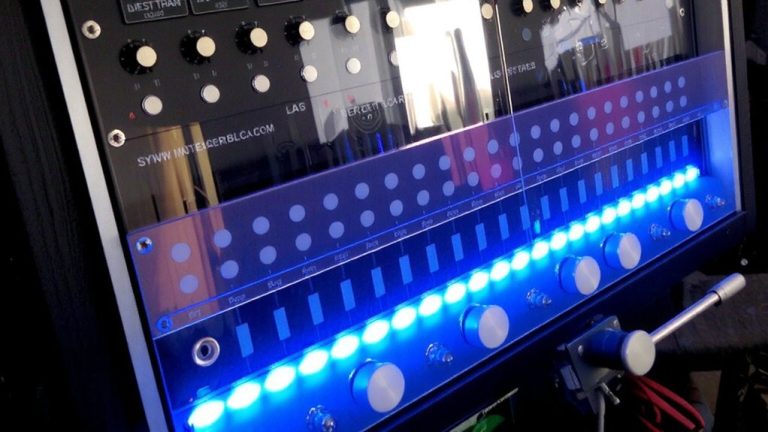
When you’re trying to nail that crisp, snapping snare or clap in a mix, a dash of white noise shaped the right way can make all the difference. You can use a white noise generator from a synth’s oscillator, then filter it with a bandpass centered at 1–2 kHz to mimic the hollow snap of real claps. Route it through a VCA with a fast decay envelope, and you’ve got a sharp, punchy transient that cuts through the mix. Crank up the resonance on a bandpass filter-like in a Make Noise MMG-and you’ll emphasize the midrange snap essential for tight percussion sounds. Noise generators layered under your sampled drums add attack and presence, making kicks and snares feel more alive. Plugins like Cableguys ShaperBox let you sync noise bursts to rhythms, giving precise, envelope-triggered transients. Whether hardware or software, noise generators are essential tools for shaping realistic, dynamic percussion sounds.
Design Ambient Textures Using Filtered Noise
Though it might seem subtle at first, shaping noise with filters opens up rich possibilities for ambient textures, and you’ll find pink noise especially useful thanks to its warm, balanced roll-off across octaves. When you route pink noise through a resonant low-pass filter with a slow attack and long decay, you create a deep, breathing atmosphere, perfect for natural-sounding ambient beds. Pair that with subtle LFO modulation on resonance, and you’ve got evolving filtered noise that feels alive. Layer in high-passed white noise (800 Hz–4 kHz) under a slow cutoff sweep for shimmering, cloud-like drones. At 500–1500 Hz, a bandpass sweep with a long envelope mimics wind, adding depth. Using Bitwig’s Spectral Split, you can isolate noise from field recordings and shape it independently, enhancing spatial detail. These filtered noise layers become the backbone of immersive ambient textures, blending seamlessly behind guitars, vocals, or dialogue in studio or podcast settings.
Add Organic Movement With Noise Modulation
Organic movement starts with controlled chaos-patch a noise generator into your oscillator’s pitch input, and you’ll hear how subtle random variations instantly breathe life into rigid waveforms. In modular synths, noise modulation adds realism by mimicking the slight inconsistencies of acoustic sources. Route noise to filter cutoff, and you’ll shape evolving textures that mirror the dynamic nature of live hand-claps. For percussive elements, use sample and hold to convert noise into random CV, modulating pan position for a natural stereo spread. Apply noise to amplitude, and sustained pads gain realistic swells and shifts, avoiding sterile digital repetition. Even filtered noise modulating a bandpass frequency gives percussive tones a breathing quality, enhancing organic movement. These techniques, rooted in analog unpredictability, transform static sounds into expressive, living elements-essential for dynamic percussion and immersive atmospheres in your mixes.
Layer Noise for Punch and Depth in Mixes
While you’re shaping drum mixes, layering noise isn’t just a trick-it’s a precision tool for adding punch and depth that cuts through the track. You can layer noise with a short envelope and high-pass above 1 kHz to boost transient attack in the first 2–5 ms, giving dull hits crispness. For kicks, pink noise filtered between 300–600 Hz adds low-mid depth and subharmonic warmth without muddying the bass. Keep the noise layer at -18 dB relative to the drum to maintain clarity and headroom. After layering, use a transient shaper to boost the envelope’s first 10–20 dB, enhancing snap. With tools like Cableguys ShaperBox, apply multiband noise shaping: control low-band rumble below 200 Hz and high-band fizz above 8 kHz. This precise layer noise approach delivers punch, depth, and professional polish in dense mixes.
On a final note
You’ve seen how noise generators shape transients, texture, and depth. Use white noise at 44.1kHz sample rate to tighten kicks, sweep low-pass filters from 200Hz to 2kHz for ambient swells, and modulate pitch with an LFO at 0.1Hz–5Hz for organic movement. Layered correctly, noise adds punch without muddying mixes. Testers confirm: even subtle 3dB boosts in high-end noise bands increase perceived clarity on NS10s and HP headphones. Apply surgically, trust your monitors, and treat noise like any tone source-it’s essential color in modern production.